10.1-inch 16K
Monochrome LCD Screen
& Matching HDMI Driver Board
Build the display section of your resin 3D printer with a 10.1-inch 16K mono LCD and matching HDMI driver board options. Select the screen, board or both.
Raspberry Pi support via the matching HDMI driver board.
LCD & driver board
Choose one or both.
- LCD screen
- 15120 × 6230 · MIPI
- HDMI driver board
- HDMI input · MIPI panel output
Sold separately. Cable and power-supply options are confirmed with your quote.
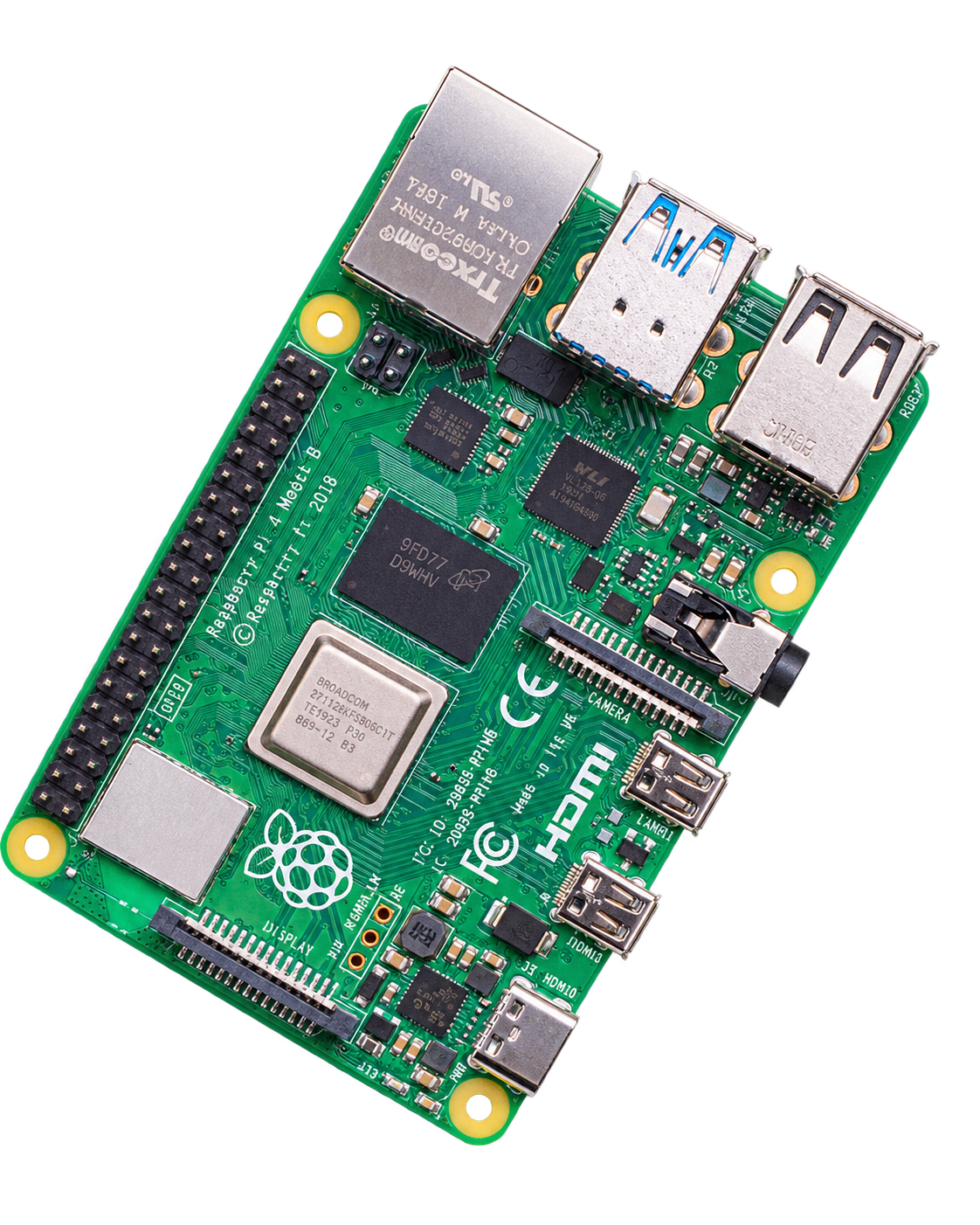
Raspberry Pi control
Bring the 10.1-inch 16K LCD into your resin-printing or custom exposure project.
- Raspberry PiHDMI output
- Driver boardHDMI to MIPI
- 10.1″ 16KMonochrome LCD
Use the matching driver board and panel-specific display timing. Use the power supply specified for the selected board.
Tell us your Raspberry Pi modelSpecifications
The screen and connection options for your resin-printing project.
| Screen size | 10.1 inch |
|---|---|
| Display type | Monochrome TFT LCD |
| Resolution | 15120 × 6230 pixels |
| Active area | 211.68 × 118.37 mm |
| Outline dimensions | 227.43 × 139.50 mm |
| Pixel pitch | 14 × 19 μm |
|---|---|
| Panel interface | MIPI |
| Backlight | Without backlight |
| Driver input | HDMI via matching driver board |
| Ordering options | LCD screen / HDMI driver / Both |
Display timing and panel matching
The panel is 10.1″ 16K. Match the driver firmware, cable pinout, power supply and host display profile to this panel. Request the current mechanical drawing before finalizing a mount.
Connection & setup
Use the driver and cable matched to this panel.
- Host computerConfigured HDMI output
- HDMI driver boardMatched power supply
- Matched flex cableCorrect contact direction and pinout
- 10.1″ 16K LCDResin-printer exposure screen
Host, cable & firmware checks
The supplier shows this panel connected to an HDMI driver and Raspberry Pi. Share your exact host model and software so the required display profile can be checked.
Confirm the exact board revision and host display configuration before integration. Match the panel code, flex orientation and driver firmware, then test image mapping and orientation with your printer’s exposure pattern.
Request a connection checkFAQ
How should I fit and test the LCD?
Disconnect the printer and driver power before connecting the flex. Follow the connector latch and contact-direction instructions for your exact panel. Test the display pattern and orientation before fitting the vat or starting an exposure.
Can I buy just the LCD?
Yes. Select LCD screen and leave Driver board unchecked. Your request will include the LCD only.
Can I buy just the driver board?
Yes. Select Driver board and uncheck LCD screen. Include your panel code and controller requirements so the board version can be confirmed.
Is the driver board included with the LCD?
The LCD and HDMI driver are independent selections. Both are initially selected here; uncheck either component if you only need the other.
Will this work in any 10.1-inch 16K printer?
Confirm the exact panel code, connector, mechanical fit and controller support. Screen size and resolution alone do not establish compatibility.
Are cables and a power supply included?
List the accessories you need in the inquiry. Cable, adapter and power-supply inclusion is confirmed for the selected board and configuration.
Building a resin 3D printer?
Tell us your mainboard or HDMI host, the LCD screen you need, and whether you want the screen, matching board or both. Include quantities so we can discuss your configuration before quotation.
Read the LCD and HDMI driver board guide →
Choose LCD & board options ↑