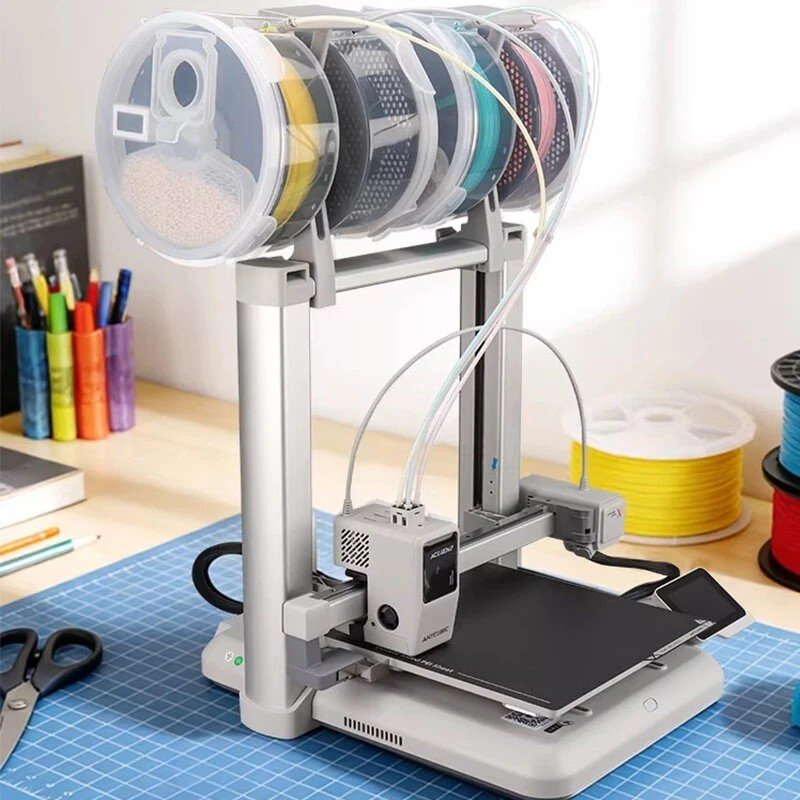
Filament Dry Box vs. Filament Dryer for 3D Printing
Use a filament dryer when a spool has absorbed moisture. Use a sealed filament dry box to help keep a dry spool ready to print. If you switch colors often, a box with a feed port lets you print from it, take it off the printer and store the spool inside for the next job.
Do you need a dry box or a filament dryer?
- Your filament is dry and you want to keep it ready. Choose a sealed box with desiccant. A feed port is useful if you want to leave the spool in the box during printing.
- The spool has already picked up moisture. Use an active dryer and follow the filament maker’s time and temperature guidance. Then move the spool into sealed storage.
- You already own a dryer and rotate several spools. Use the dryer for spools that need it. Store each dry spool in a separate box so the dryer can handle the next batch.
Drying instructions vary by material and spool. Check the maker’s guidance for your particular filament. Prusa’s filament drying guide
Feed from the dry box without using bench space
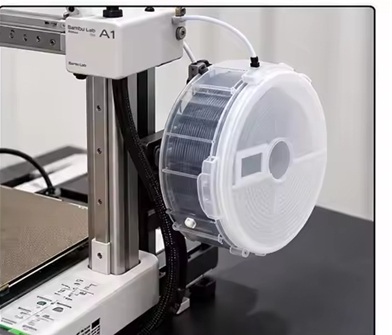
A side-mounted dry box holds the spool close to the printer’s external feed. Open the feed port and route the filament while leaving the main lid seated. Turn the spool by hand before loading and check that the line runs freely without a sharp bend. Keep the box and feed line clear of the printer’s moving parts.
The CreateShape3D box is designed for a 1 kg spool and has a desiccant compartment and a visible humidity display. The reading shows the air inside the box. It gives you a way to spot a change in storage conditions without opening the lid.
Set up a box per color for a multicolor workbench
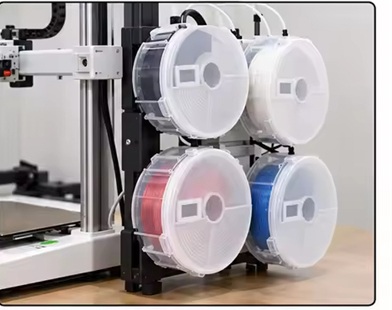
- Assign one box to each frequently used color or material. Label the outside so you can pick a spool without opening the lid.
- Mount the active box on a supported spool bracket and feed through its port. On a printer with separate feeds for multiple toolheads, check the feed route and space available for each box.
- When you change colors, unload the filament and secure its end. Close the port and store the spool in the same box until you need it again.
You can start with one box for your most-used spool and add boxes as your color selection grows. The same approach works if you dry several spools in batches and want each one ready between jobs.
Check the fit before choosing a side-mounted dry box
Check the printer’s external spool bracket first, then the spool diameter, width and center hole. A nominal 1 kg spool can have different dimensions. The CreateShape3D model lists a 200 mm inside diameter and a 54 mm center post. Leave enough clearance for the spool to turn and the lid to close.
Bambu Lab A1, A1 mini and Anycubic Kobra X are listed mounting references. For other printers, check the bracket and feed clearance. If you use an automatic filament changer, follow its own spool and feed requirements.
See the Sealed Filament Dry Box dimensions and mount references and use your printer model and spool dimensions to request a fit check.